

Bulma Builder unknown


Web development is trending these days. Thus, to understand the basics of it Bulma Builder has come to the rescue. Bulma Builder is an online editor for Bulma CSS with a simple and intuitive drag & drop interface that helps to improve and customise in a preferred IDE. Combining 1000+ UI components, Bulma Builder is a part of Shuffle which helps busy developers create amazing websites within minutes. This editor also hosts a variety of templates that a developer can use to modify the basics and generate something unique. Further, Bulma Builder understands the time of a developer and hence its team worked hard to develop a tool that would be easy to use. To proceed with this editing tool, a newbie developer does not have to undergo any training. Bulma Builder’s UI components library contains different templates that are grouped into categories like navigations and headers. A developer just needs to choose the appropriate template and he/she is good to go. Also, the editor provides a variety of configuration options, presented in a thematically connected category, thereby allowing the developers to choose them effectively.
Developer
$15.00 per month
Easy to use
Components library
Online Sass compilation
Convenient pickers
Live edit
Shareable preview
Exportable sources
Pure Bulma
Free updates with new UI kits and styles.
Access to Bootstrap Shuffle, Tailwind Builder, and Material-UI Builder without additional costs (worth $297).
Team
$39.00 per month
Easy to use
Components library
Online Sass compilation
Convenient pickers
Live edit
Shareable preview
Exportable sources
Pure Bulma
Free updates with new UI kits and styles.
Access to Bootstrap Shuffle, Tailwind Builder, and Material-UI Builder without additional costs (worth $297).


Servage Website Builder 8.0 - Perfect tool for beginners in Web site designing
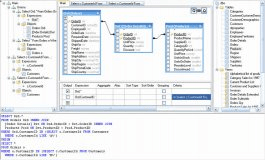

A visual query builder that allows your end-users to build SQL queries

Simplifies the development of OSUPDATE packages, includes basic AirBEAM Package.


HTML Help Builder makes it easy to create organized, cross-linked documentation.


Comments